Managing access rights
Learn how Admin and Member roles work and how to control access to folders and documents in a Docue workspace.
Docue Drive makes it easier to restrict user permissions. User permissions can be restricted by creating folders. Users can be granted access to only those folders whose documents they are allowed to view.
It is a good idea to create separate folders for documents that do not need to be viewed by every user in the workspace. Docue's sharing features make it possible to share documents and folders safely between users. This guide explains user types, permission settings, and access to folders.
User types
There are two user types in a Docue workspace: Admin and Member.
Admin
An Admin has access to all documents and settings in the workspace. Admins can change other users' permissions and create folders and folder groups.
Member
If a user does not need access to every document in the workspace, an Admin can assign the user the Member role. Each Member can have different permissions based on the folders they need to access.
Permission settings
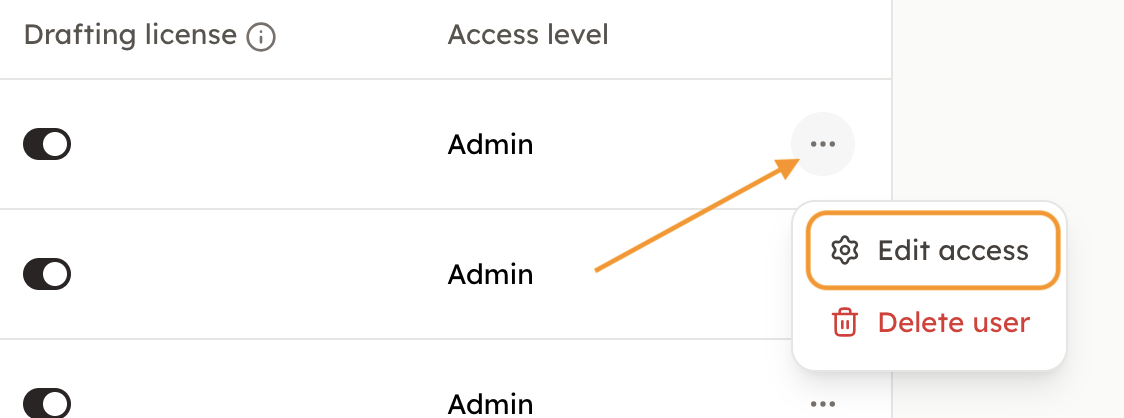
Permissions can be set when inviting a user to the workspace or changed later under Settings → Users.
To edit an existing user's permissions, open the three-dot menu next to their name and select Edit access.
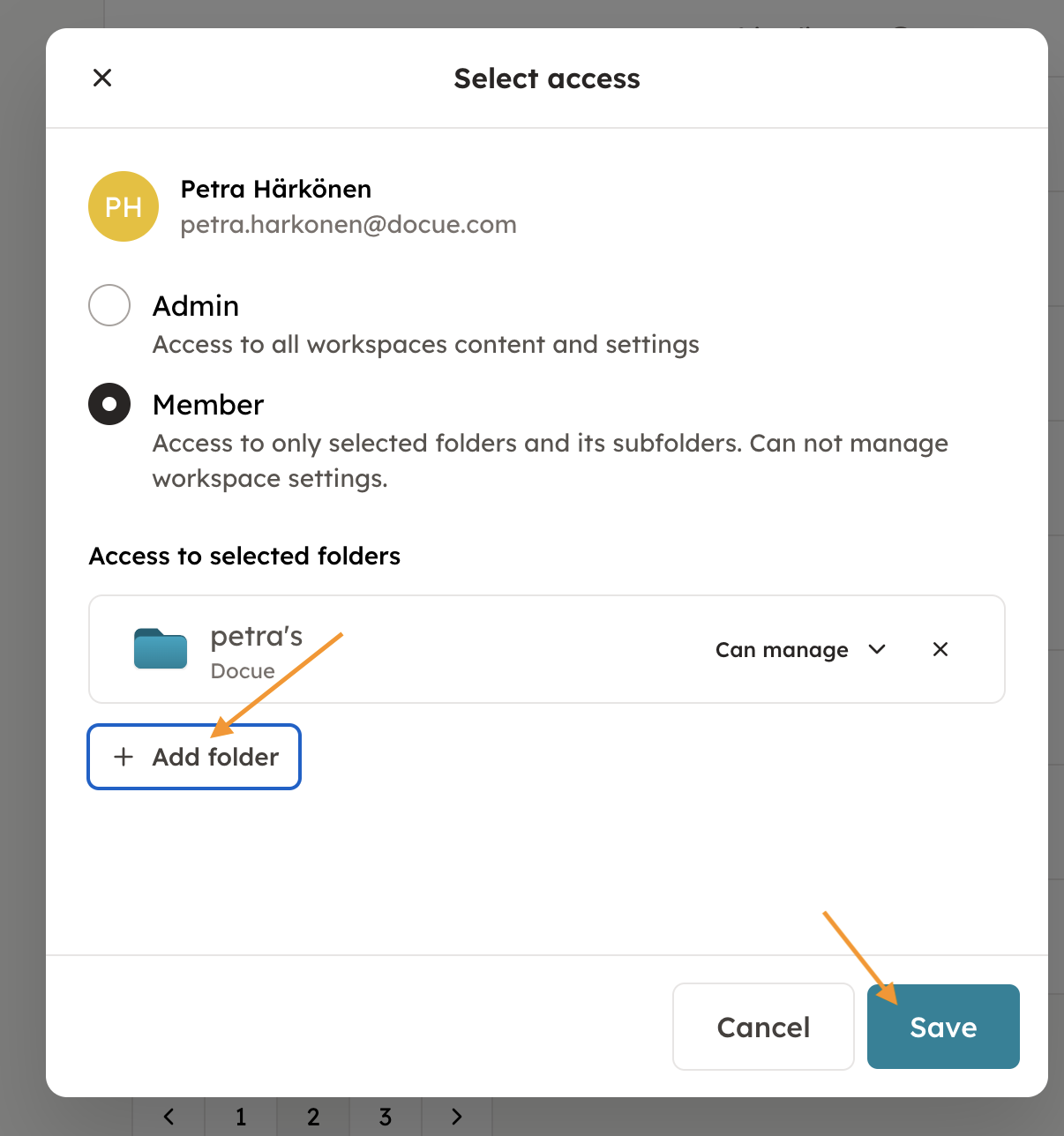
When selecting permissions, you can see which folders the user can access. Remove access to an existing folder or use Add folder to grant access to another one. Remember to save your changes when you are finished.
User access to folders and documents
A Member can view documents stored in the folders they have access to. A document can be stored in only one folder, but a Member can be granted access to multiple folders.
Folder permissions are independent of one another. This means each user can be given exactly the access they need without gaining access to unrelated folders.
Last reviewed: