Can I hide templates from my company workspace?
Instructions for hiding templates and limit their visibility.
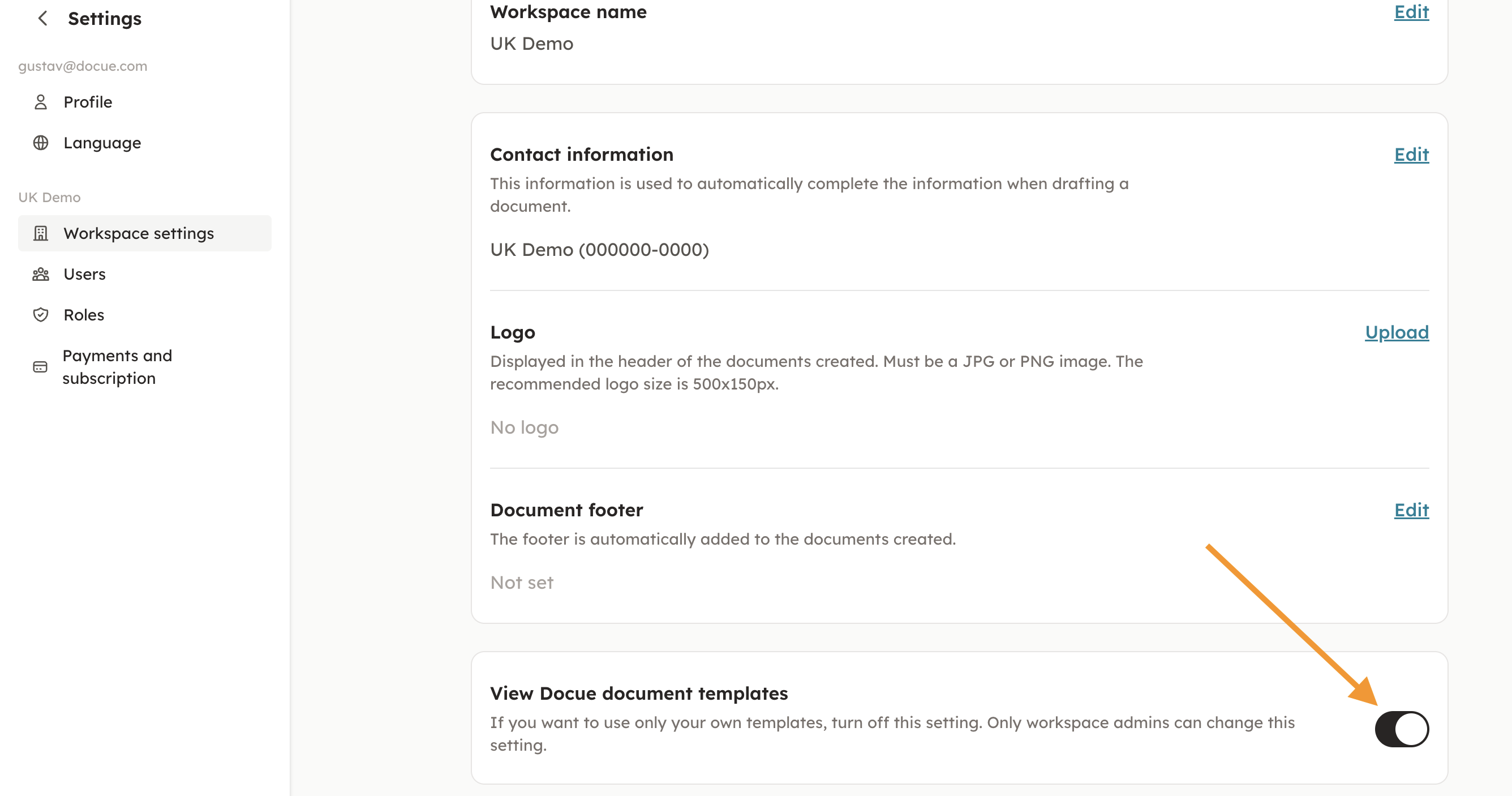
If you want, you can limit the visibility of completed documents. If you just want to use your own templates, you can disable the Docue templates in "Settings" and then "Workspace settings". In workspace settings you can turn off Docue's templates (pictured below).
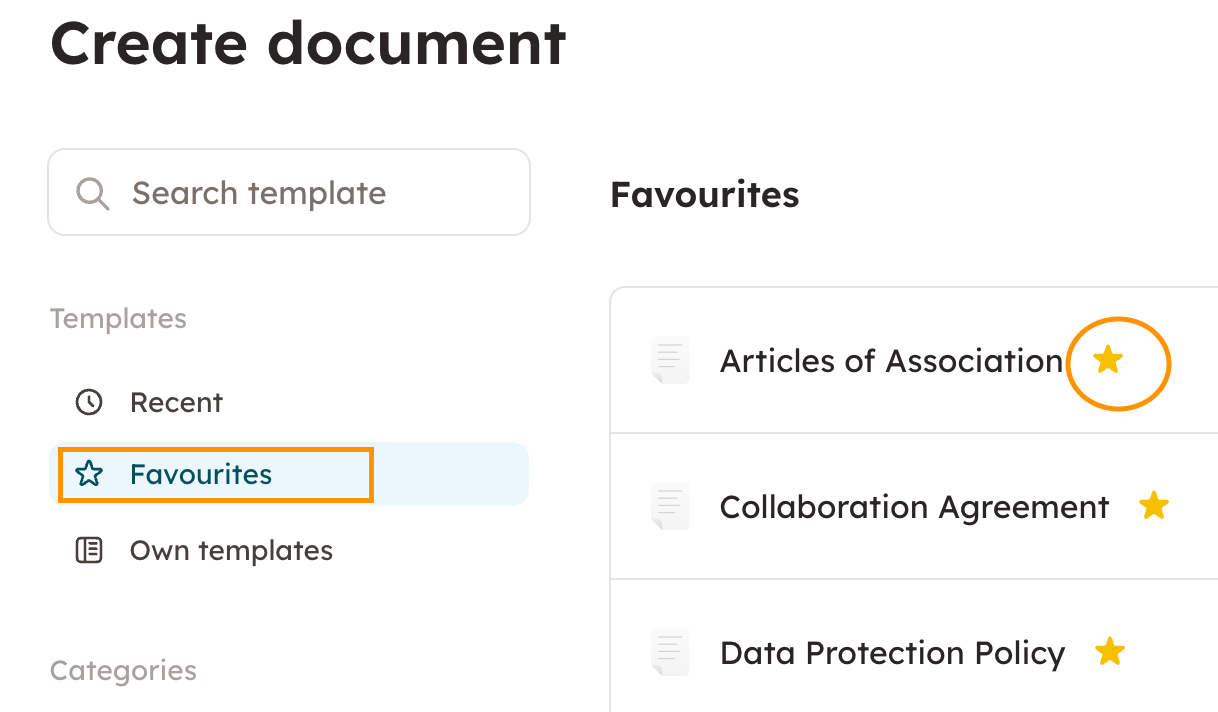
Once the Docue templates are hidden, only the star marked and own saved templates are visible.
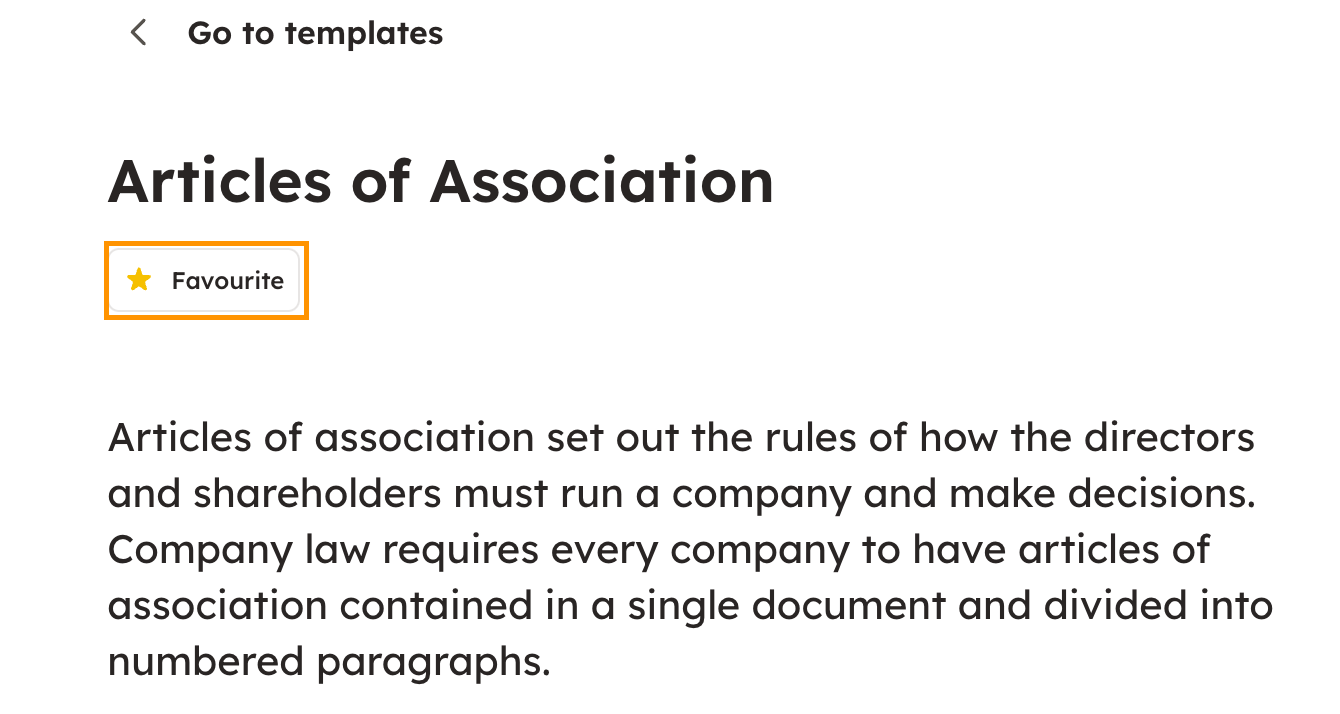
You can add a template to favourites by marking it with a star.
Keywords: hiding templates, visibility, favorites, Docue templates, templates,
Last reviewed: