Skip to content
Documentation
PlatformEmbed
Platform documentation
Templates and documents
Electronic signatures
User management
Docue Drive
Contacts
Branding
Subscription and workspace settings
  • How do I edit my profile information?
  • I forgot my password
Settings
  • How to add your card details to Docue
  • How do I log in to Docue?
  • Signing in to Docue with Microsoft or Google credentials
  • How to disable Microsoft or Google login from your workspace
  • How do I delete my workspace?
Subscription
  • How do I integrate Docue in my business?
  • How do I cancel a paid subscription?
  • How do I update the company's billing information?
Document & user management (legacy)
Legal monitoring
Subscription and workspace settings

How do I update the company's billing information?

Instructions for adding and editing billing information

Last reviewed: 21 February 2026

1. Click your account name in the upper left corner.
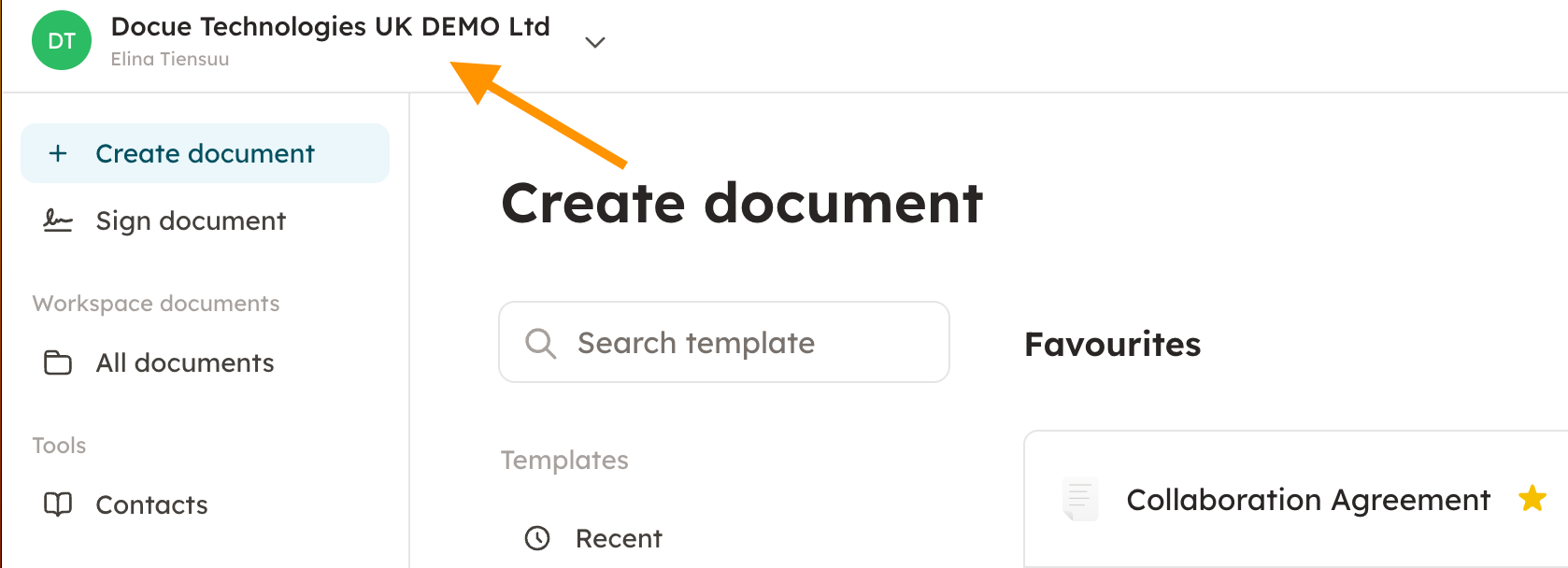
Screenshot 1: 1. Click your account name in the upper left corner.

2. Go to "Settings" and then "Payments and subscription". Fill in your billing information and press save.
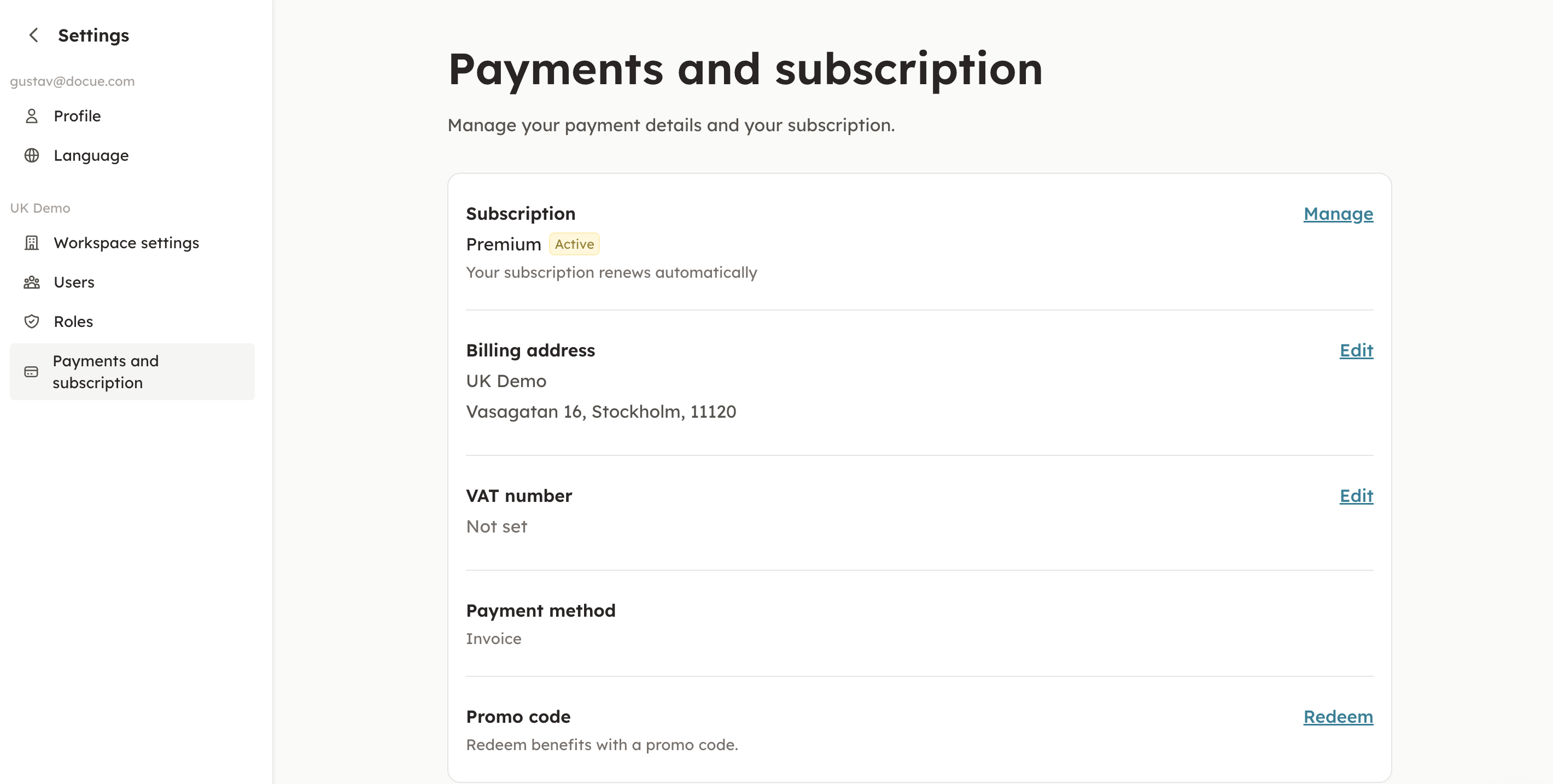
Screenshot 2: 2. Go to "Settings" and then "Payments and subscription". Fill in your billing information and press save.

Keywords: Billing, payment method, billing address, billing information, address, card

PreviousHow do I cancel a paid subscription?
Next How to create folders (legacy)
Documentation
WebsiteContact us

© 2026 Docue