Download all your documents from Docue
Information on how to download all the files and documents you have saved in Docue's cloud-based archive.
With Docue, all documents that have created or uploaded are stored in our cloud-based archive. Should you want to download all your documents from the platform, it can be done in three simple steps.
Please note, that you will need to be a workspace Admin to download all the documents from the platform.
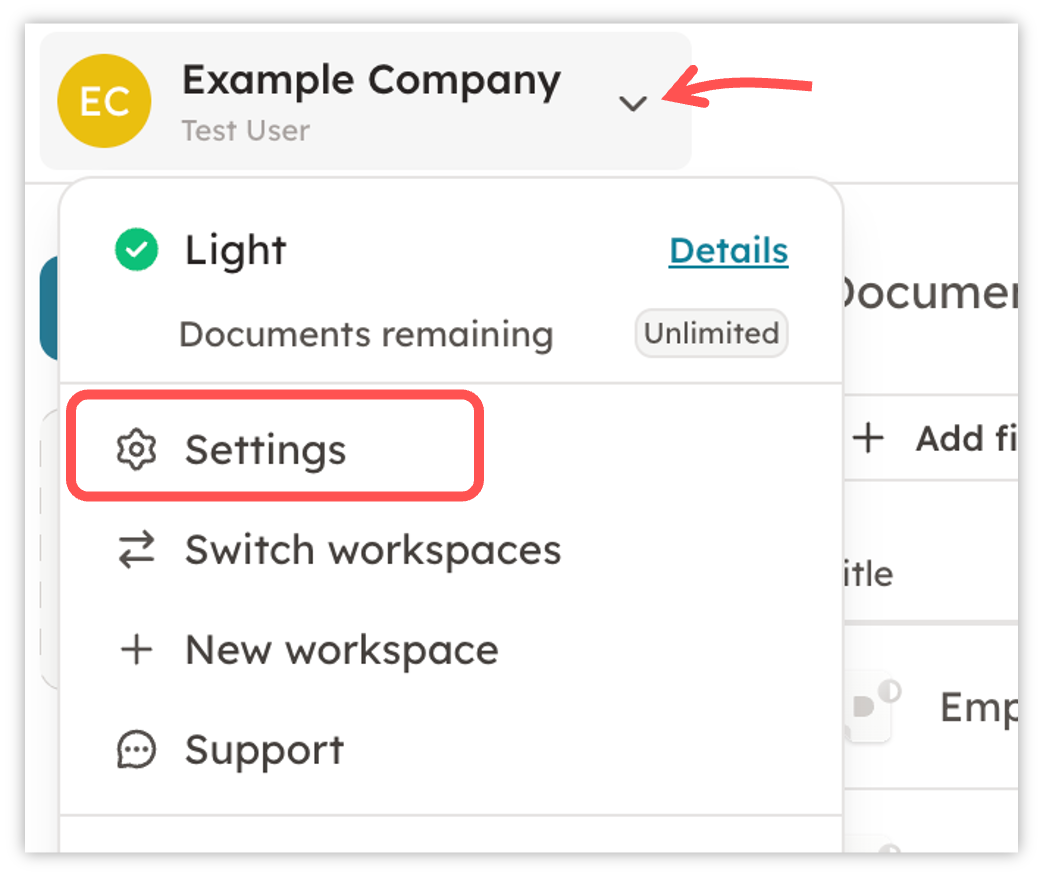
- Make sure you are logged into your workspace and click on "Settings" which you will find in the top left corner under your company name.
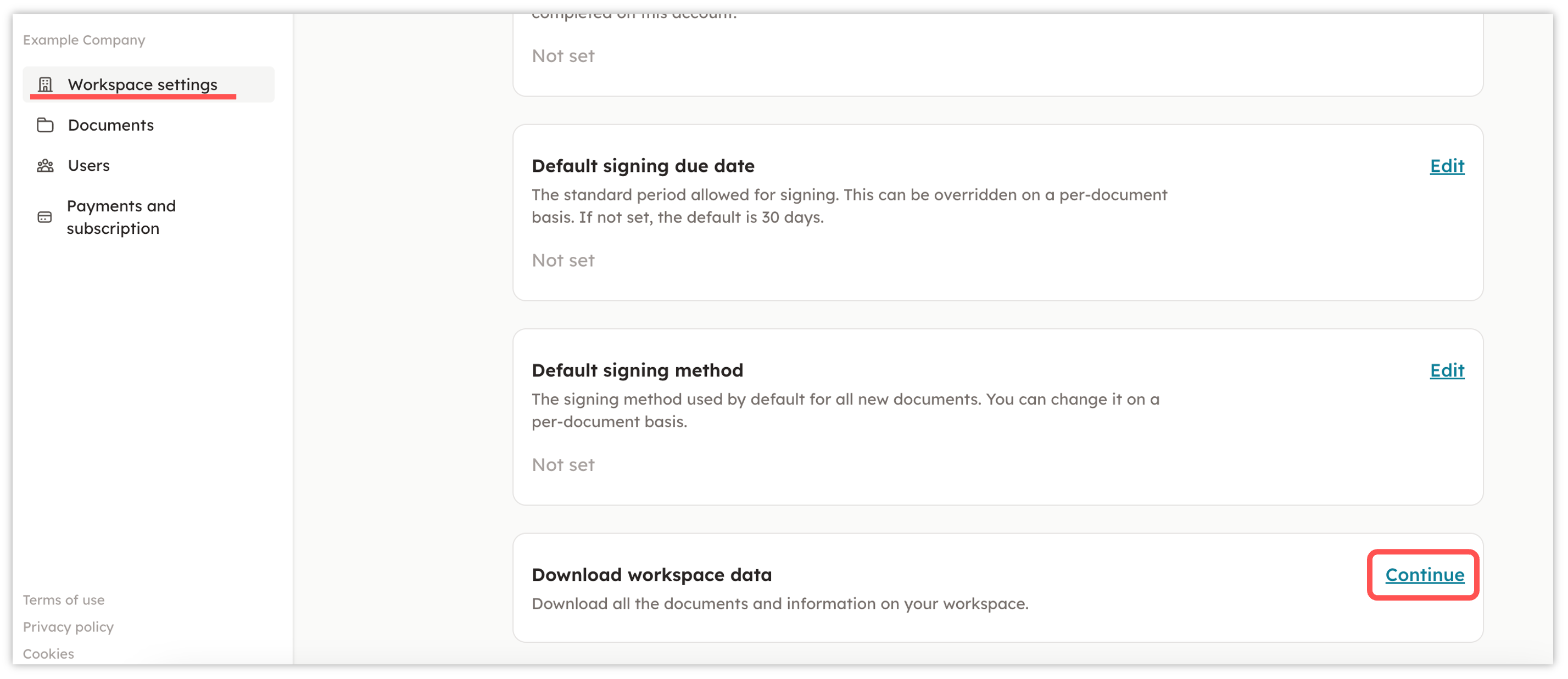
- In settings, click on "Workspace settings" in the left column and then scroll down to "D****ownload workspace data" and then click on "Continue".
- You will now have to enter your password for the downloading process to start. You will receive a notification via email once the process in completed and the file is ready to be downloaded. It can sometimes take a few hours to receive the email, so don't worry if you don't receive the email right away.
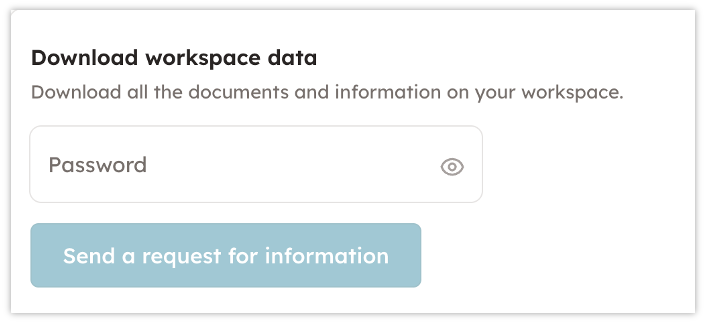
Having trouble? Make sure you have set a password in your Profile settings. If you haven't set a password, you won't be able to download your data from the platform.
Last reviewed: