AI Summary
With Docue Drive+, you can get an AI-generated summary of your document.
With Docue Drive+, you can get an AI-generated summary of every completed document on your account, meaning you don't need to read through the entire document to find key information.
Here's how to get started with AI summaries:
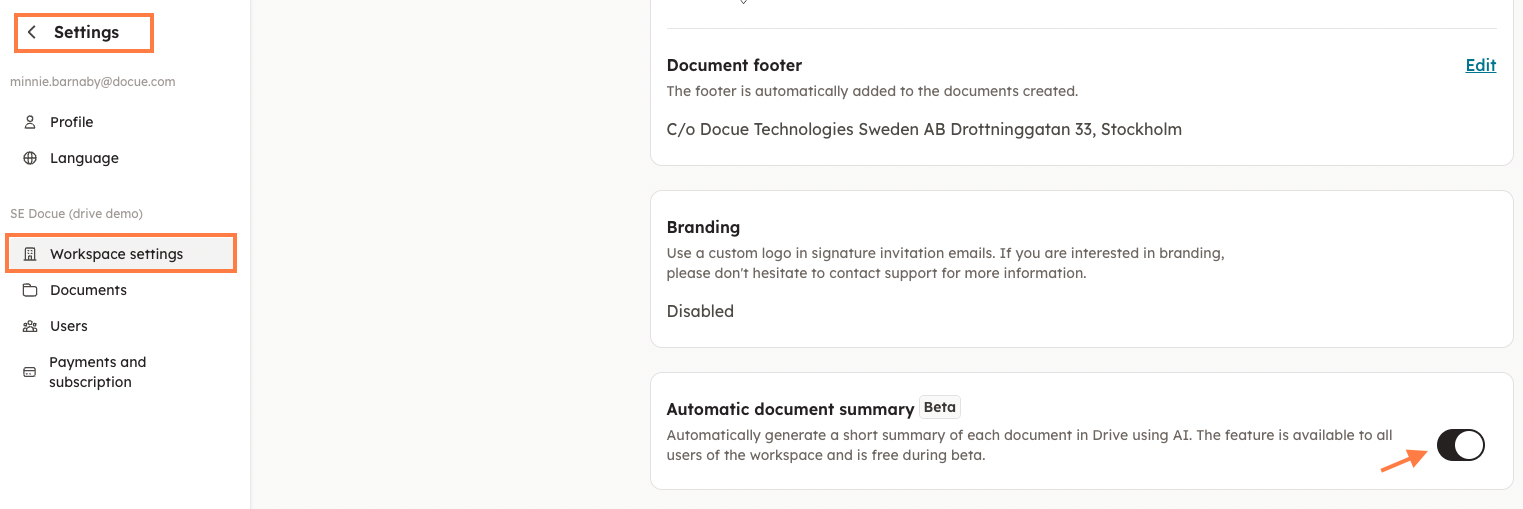
- Activate Automatic Document Summary in Settings on your account
To create a summary of a completed document:
- Open the desired document.
- Click on Details.
- Click on the arrow next to Summary.
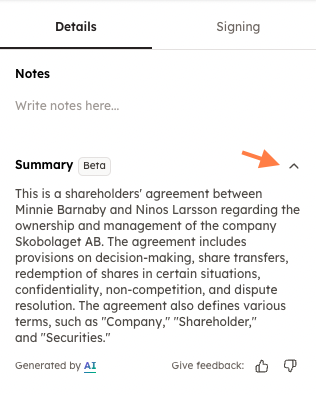
It may take a moment for the AI-generated summary to be created.
Keywords: artificial intelligence, AI, summary, settings,
Last reviewed: